Install in one command
Quickstart
The fastest path to a running brain is the one-command installer. It takes a clean machine that has only Docker and Node, pulls prebuilt images, writes a hardened configuration, boots the stack, pulls the local inference models, and prints the console URL. There is no source clone and no local image build.
flowchart TD
  accTitle: Setup flow
  accDescr: Run the installer, copy the setup token, open the setup page and paste it, create the first administrator, confirm inference, connect a source, and arrive at a queryable company brain.
  R["npx @connectai/selfhost run"] --> T["npx @connectai/selfhost token"]
  T --> SU["Open localhost:5273/setup<br/>paste the token"]
  SU --> AD["Create the first administrator"]
  AD --> INF["Confirm inference"]
  INF --> C["Connect a source"]
  C --> DONE["Queryable company brain"]
Prerequisites
- Docker with the Compose v2 plugin, and the daemon running.
- Node 18 or newer (for
npx). - About 8 GB of RAM and 10 GB of free disk for the images plus the local models. Less than that is an advisory warning, not a hard stop.
That is the whole list. No git, no clone, no source checkout.
Run it
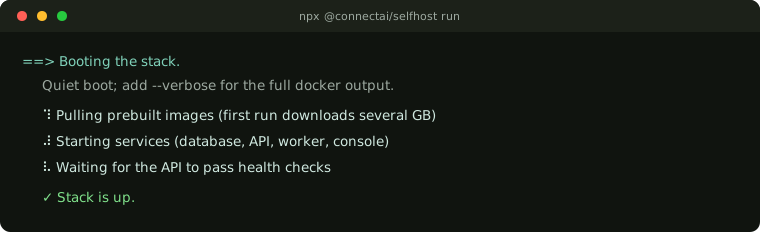
npx @connectai/selfhost runThe boot is quiet by default: a spinner with a short summary, not raw per-layer docker output. Add --verbose (or set CONNECTAI_VERBOSE=1) for the full stream.
If you would rather install the command globally:
npm i -g @connectai/selfhost
connectai run
What the installer does
- Pre-flight. Verifies a running Docker daemon and Compose v2. It warns (and does not block) if RAM or disk is below the footprint. Errors are copy-pasteable.
- Materialize assets. Writes the bundled deploy files into a working directory (default
~/.connectai-selfhost, override with--dir). You never fetch source. - Generate `.env`. Fills the secrets with a cryptographic random generator (
ENCRYPTION_SECRET, the Infisical vault identity, and a strongPOSTGRES_PASSWORD), writes the filechmod 600, and never overwrites a value you already set. Secrets stay local: never logged, never transmitted. A second run is a no-op. - Boot. Pulls the prebuilt images, brings up the bundled Infisical vault, provisions the vault identity, brings up the full stack, and waits for the API
/healthcheck and the console. - Models. Pulls
qwen2.5:1.5b(chat) andmxbai-embed-large(embeddings) into the bundled Ollama, and gates the loop worker so ingest never runs before the embedder is ready. - Print. Shows the console URL, the setup-token command, and your single next step.
The first run downloads several GB (images plus models) and can take a few minutes. Re-runs are fast and idempotent.
When it finishes
- Console:
http://localhost:5273 - API health:
http://localhost:4000/health
Get the one-time first-run setup token (printed once at API boot) with:
npx @connectai/selfhost tokenThen open http://localhost:5273/setup, paste the token, create the first administrator, confirm inference, and connect a source.
Commands and flags
| Command | What it does |
|---|---|
run (default) | the full install and boot above |
token | print the one-time first-run setup token |
logs | tail stack logs (for example connectai logs api) |
down | stop the stack (down -v also removes volumes and wipes the brain) |
help / version | usage / version |
| Flag | Meaning |
|---|---|
--dir <path> | working directory (default ~/.connectai-selfhost) |
--verbose | stream the full docker output during boot (default: quiet spinner) |
--yes, -y | non-interactive (already the default; accepted for CI) |
--tag <tag> | run a specific release tag (advanced; also CONNECTAI_IMAGE_TAG) |
Notes
- localhost is the v1 target. The prebuilt console talks to the API at
http://localhost:4000. The compose ships a runtime API-base seam, so serving on a remote origin is a configuration change rather than a rebuild. Full remote serving is a documented follow-up. - The installer is a thin front door over the same hardened boot engine and canonical compose used everywhere else. It does not fork the orchestration.
Where to go next
- Connect your agent (MCP) points Claude, Cursor, or a CLI at your new brain.
- Self-hosting (advanced) covers the manual docker-compose path if you need to tune environment, vault, or models beyond the installer defaults.